The engine is on board
The Virgin engine runs directly on the Core2’s ESP32: a 1 MiB transposition table in PSRAM, a search of up to 20 plies and a budget of 2.5 seconds per move in every mode. No network files, no phone, no computer.
ESP32 · stand-alone · open source
A chess computer built on the M5Stack Core2. The engine runs on the little device itself, starting in the adaptive mode, with full strength and 17 Elo bots a tap away, so you need no phone, no PC and no Internet to play. M5Chess is made for electronic chessboards only: you cannot play on the screen. Your moves come from the e-board over Bluetooth; the computer’s answer appears on the screen and lights up the squares on your board.
A queen in six moods shows how the game stands, and on a Tabutronic Spectrum the move LEDs change colour with the evaluation: blue when balanced, towards green when you are ahead and towards red when you are behind.
Status: a working prototype, tested with real boards: Chessnut, Millennium (ChessLink), Certabo and Tabutronic Spectrum; see the table below.
What it does
Everything needed to play sits on the device.
The Virgin engine runs directly on the Core2’s ESP32: a 1 MiB transposition table in PSRAM, a search of up to 20 plies and a budget of 2.5 seconds per move in every mode. No network files, no phone, no computer.
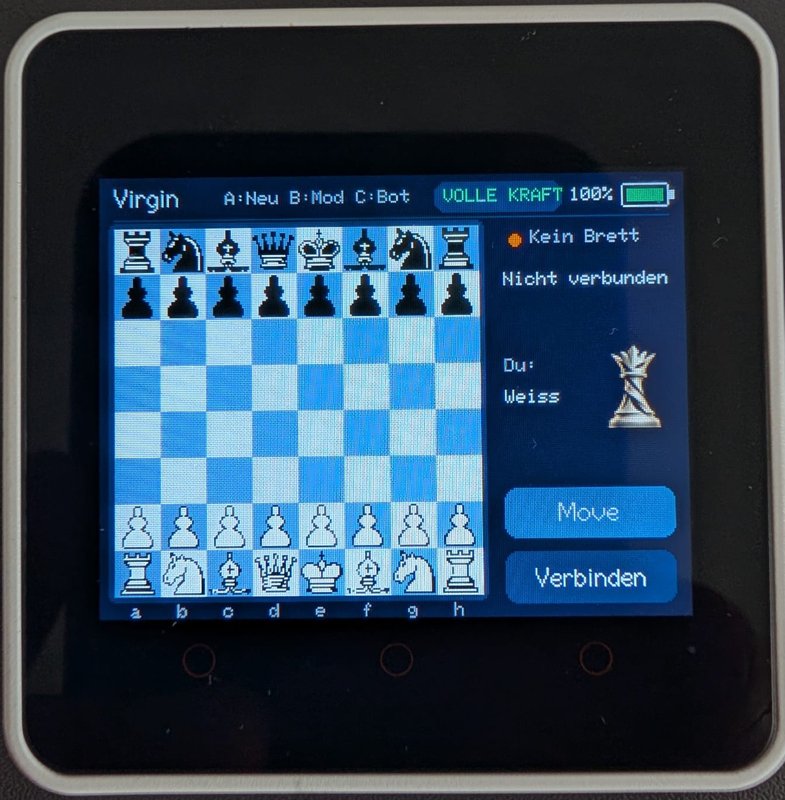
Connect your e-board by Bluetooth with one tap, play your moves on the real pieces, and carry out the computer’s reply on the board. The game continues once the whole resulting position has been recognised.
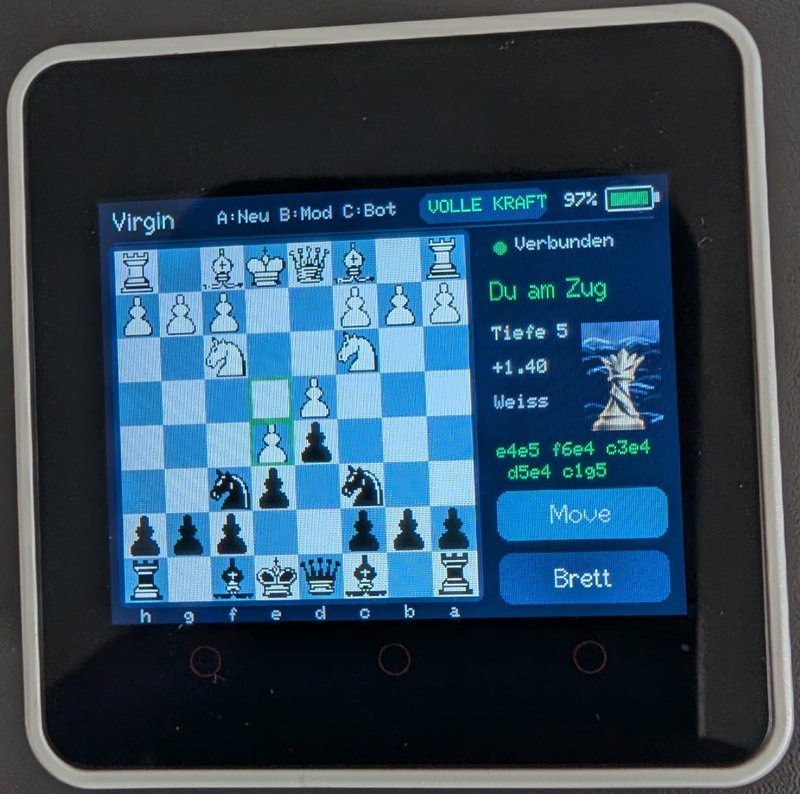
The engine’s move appears on the display at once, and on boards with LEDs the squares to move are marked, so you never have to look away from the board.
Tap Move on your turn and the computer takes your side: it plays White, you play Black, and the view turns. While the engine is thinking, the key ends the search early.
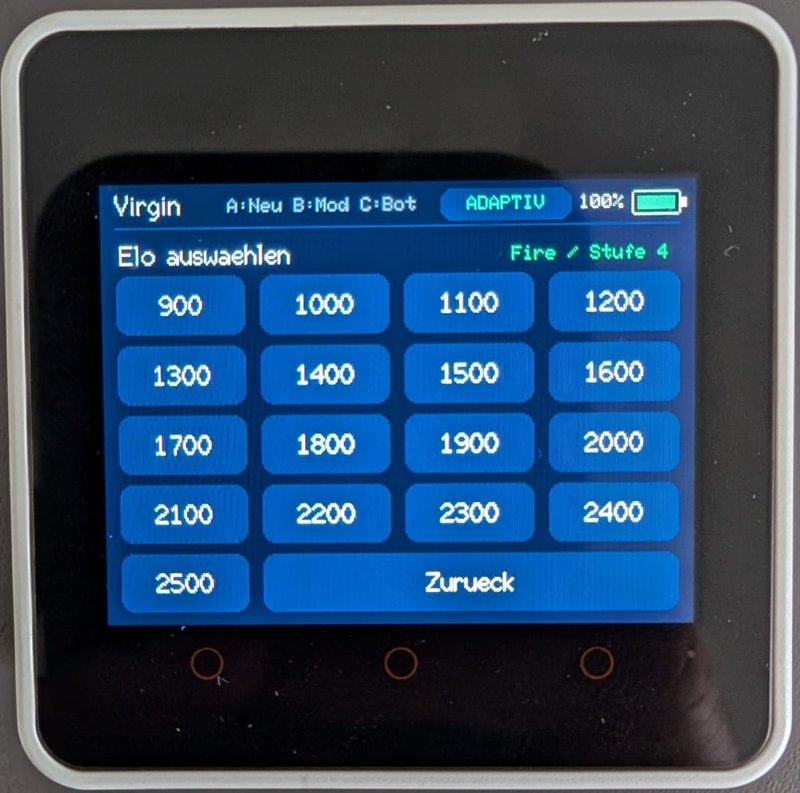
A / Neu starts a new game as White. B / Mod switches between Adaptive and full strength. C / Bot opens the Elo picker. The labels in the header can be tapped too.
All targets from 900 to 2500 in steps of 100 are shown at once as tiles. Every bot plays the Fire style (stage 4 of 5). Changing mode or bot keeps the game and the connection; power cycling returns to Adaptive.
The logo queen changes in six steps from radiant to lightning and fire, always from your point of view, even when you play Black. A new game and a draw put her in the neutral state; a mate shows the win or the loss.
On a Spectrum the move and correction LEDs take the colour of the evaluation, with a blue correction, so a balanced position looks blue and not almost white.
The screen shows the search depth, the score from White’s point of view and the first moves of the main line while the engine is working.
Merida pieces on a board drawn from the PSRAM frame buffer. Only the sidebar is redrawn during analysis, so the chessboard never flickers.
A horizontal battery in the corner shows the percentage and a bolt while charging. It turns red at 20 percent or less and is refreshed every five seconds.
Look and feel
320 × 240 pixels, enlarged here. The texts are in German for now.
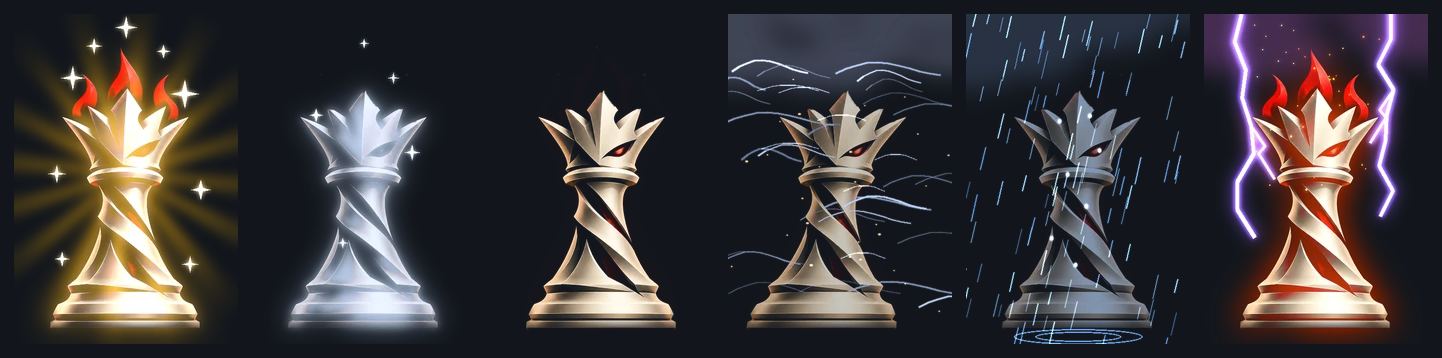
Left to right: you are well ahead, a little ahead, balanced, a little behind, clearly behind, lost. The queen has no colour bar and no animation. During a search she keeps the last finished state.
Hardware
All four board families have been tested on the Core2 with real boards.
| Board | Status |
|---|---|
| Chessnut | Tested. Found by its name, whatever the model suffix. All Chessnut models work the same way, except the Chessnut Move. |
| Millennium via ChessLink | Tested. Bluetooth protocol. |
| Certabo | Tested. Bluetooth (Nordic UART), learning of the 34 pieces and single-colour LEDs. |
| Tabutronic Spectrum | Tested. Bluetooth (Nordic UART), learning of the pieces and RGB LEDs. |
Certabo and Spectrum connect through the Bluetooth LE interface that Certabo and Tabutronic offer for their boards (Nordic UART service). Plugging their USB cable straight into the Core2 is not supported. Boards that only report which squares are occupied are not a replacement for a board that recognises the pieces.
M5Chess is an independent project. It is not affiliated with, endorsed by or sponsored by the makers of the supported boards. All product names are trademarks of their respective owners.
How to play
The screen only shows the game: pieces cannot be moved on it, so an e-board is required. Games are not stored, and there is no automatic reconnection: after a lost connection, tap Connect again. The Elo numbers are targets of the engine’s strength limit, not ratings measured on the Core2; the playing strength on this chip has not been measured.
Make your own
All sources and the exact library versions are in the repository.
git clone --recurse-submodules https://github.com/parlue/M5Chess.git
cd M5Chess
python -m pip install -r requirements.txt
python -m platformio run -d esp32_core2
python -m platformio run -d esp32_core2 -t upload --upload-port COM17
Replace COM17 with the port of your Core2. The first build downloads the toolchain and needs the Internet; playing does not. The build uses PlatformIO 6.2.0, espressif32@6.8.1 and ESP-IDF 5.3. The full guide, the Certabo and Spectrum learning gesture and the troubleshooting tips are in the
English documentation ↗.
Good to know